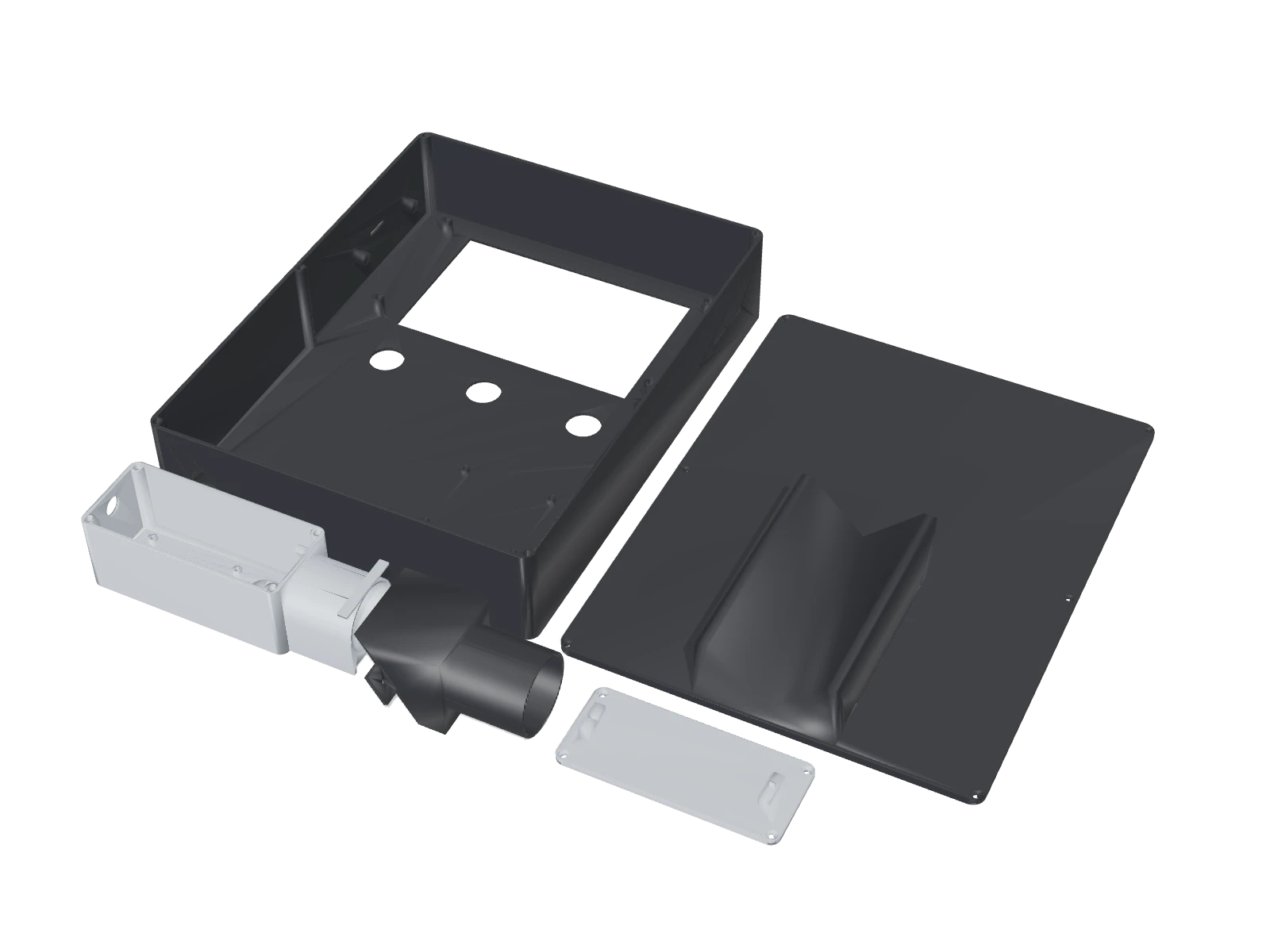
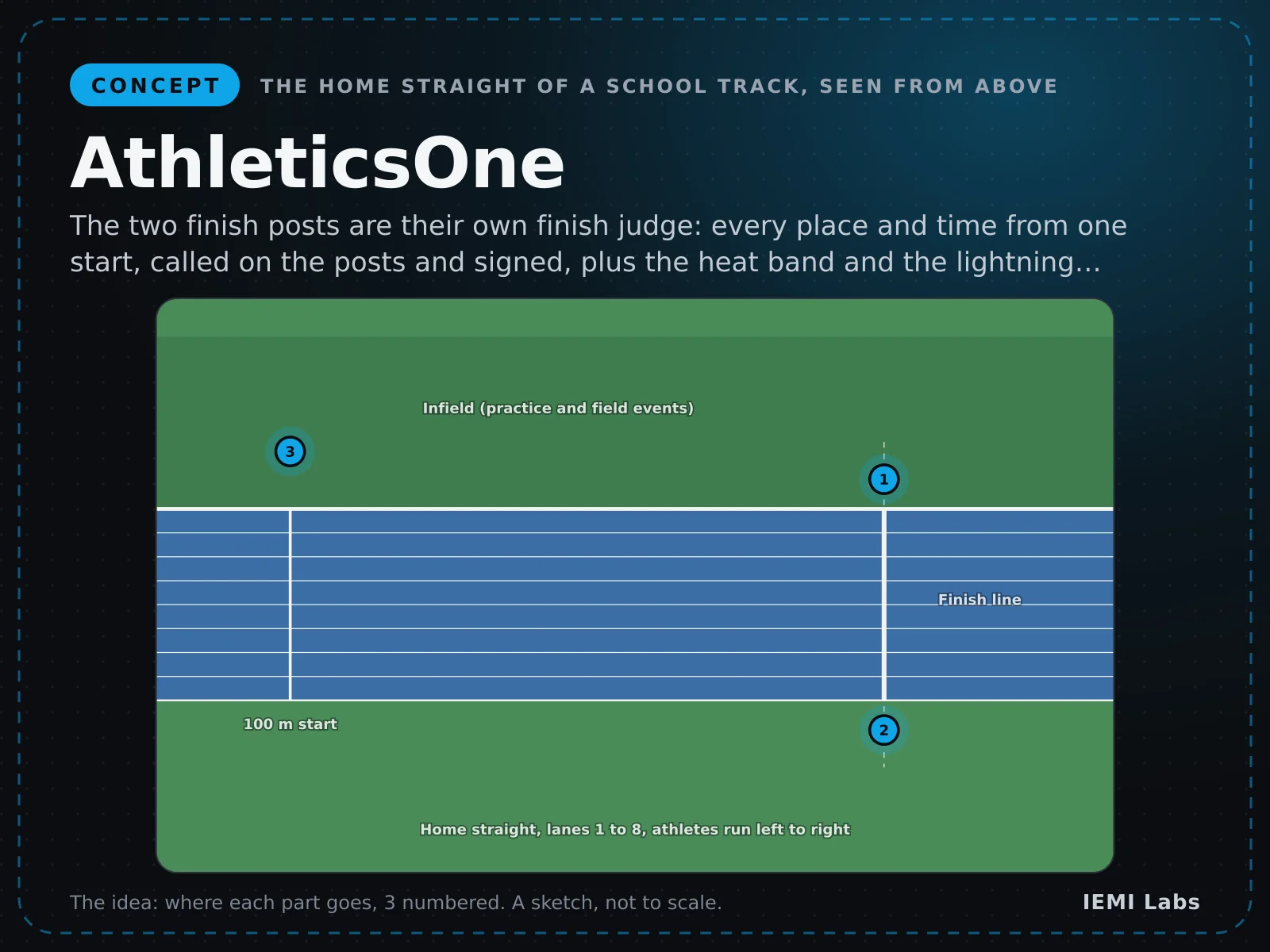
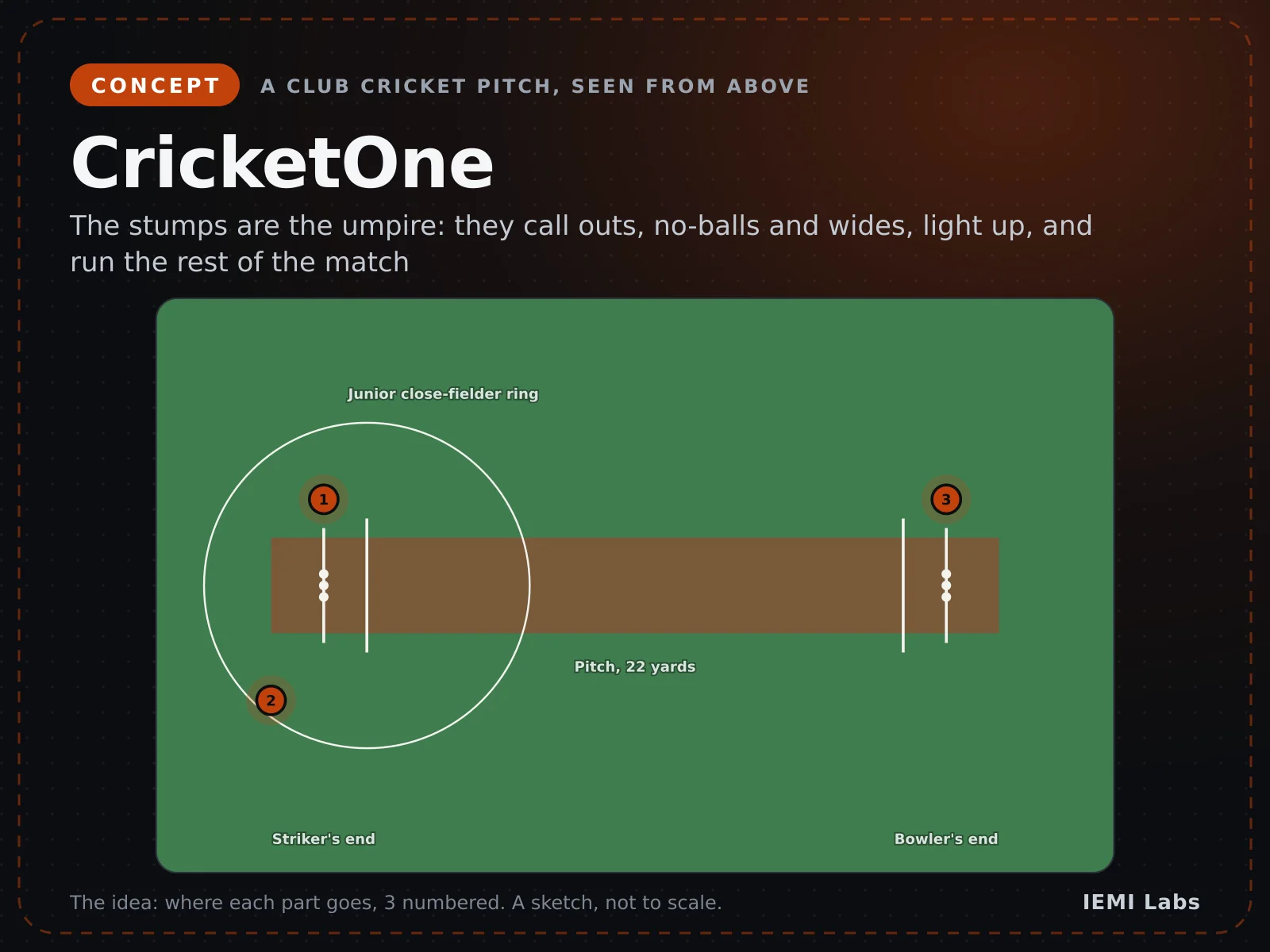
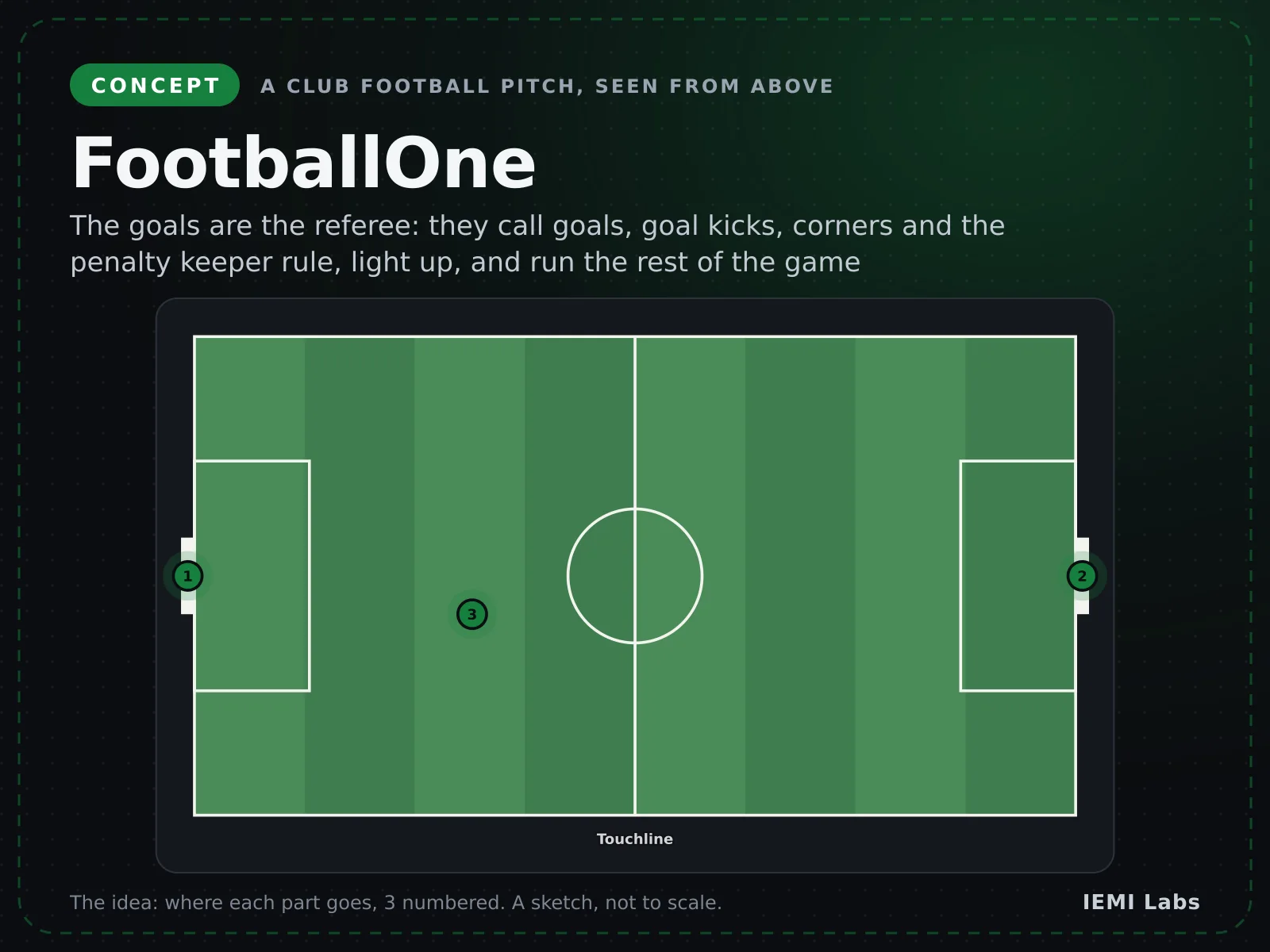
Drag to rotate · right-drag to move · scroll to zoom · click a part for its size and placeSwipe to rotate · pinch to zoom · two fingers to move · tap a part for its size
How it fits together
ScorePost, part by part
Scroll or tap a part. Press “See the 3D CAD design” to watch the model, built from our CAD, light each part up and show how it connects.
Real-time 3D render · drag to rotate · final design may varySwipe sideways to rotate
01
The whole ScorePost
A net-post scoreboard keeps score; on a challenge, cameras find the ball bounce and show its distance from the line.
02Brain
Raspberry Pi 5 2GB
The brain: it runs the scorepost-head program
03
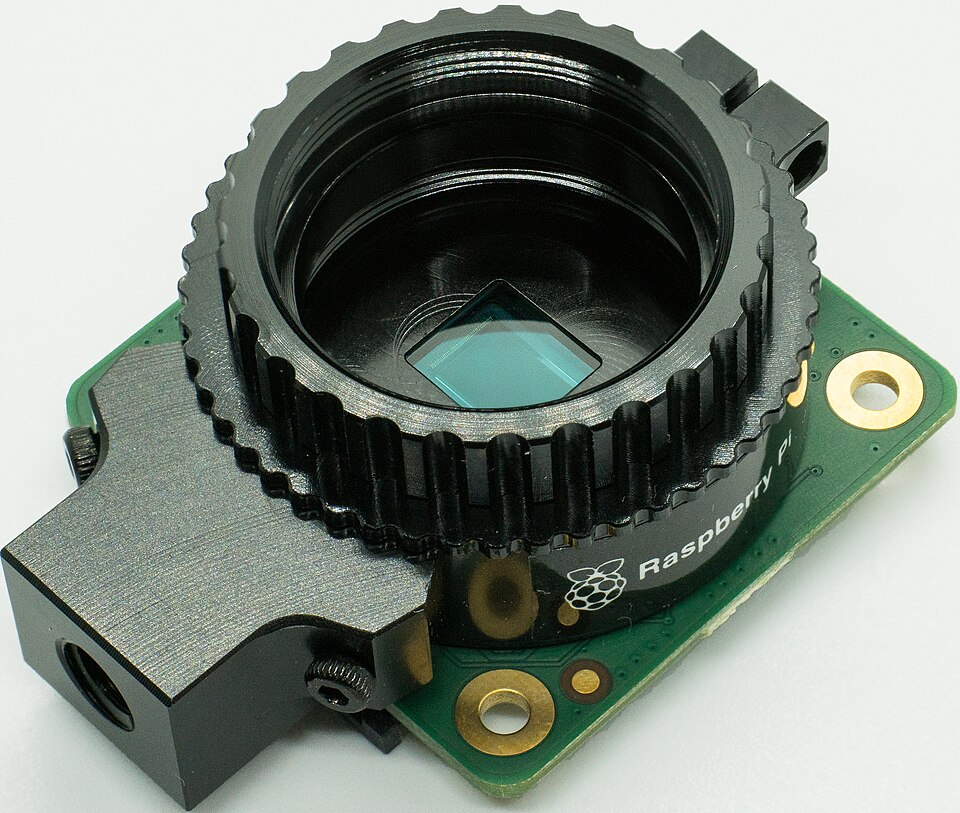
Two global shutter cameras
Film the lines in two directions with no motion blur
Raspberry Pi 5 2GB · CSI ribbon cables (two ports) · High-speed video
04
4 mm CS-mount lenses
Give each camera a 64° wide view of the court
Raspberry Pi 5 2GB · CS-mount thread · Light onto the sensor
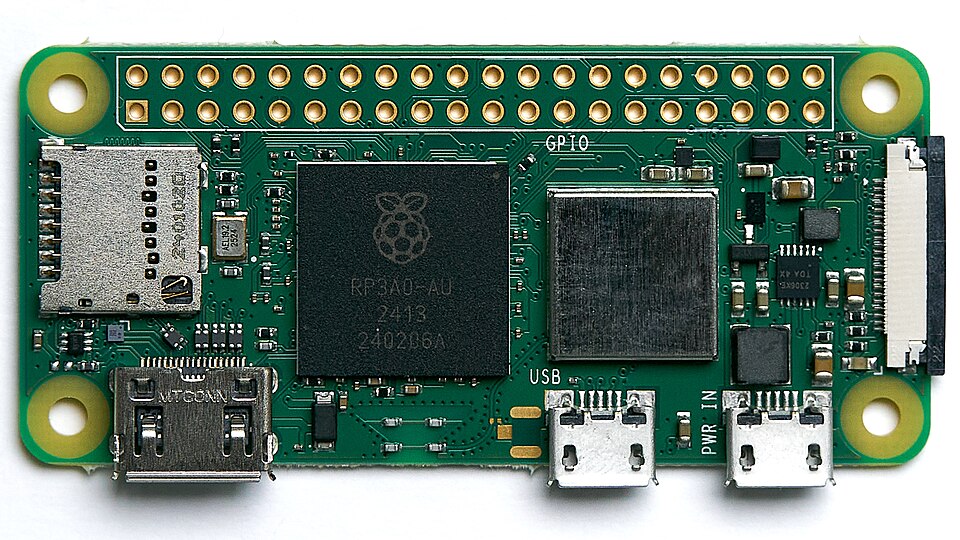
Watches one baseline from the fence and calls its bounces
Raspberry Pi Zero 2 W · Wi-Fi (MQTT) · Bounce calls and clips
10
All connected
8 key parts, one program, and your phone
What it is
A battery scoreboard for tennis, pickleball and club cricket, with optional line cameras, score pads and an umpire ball counter.
What it does
Shows the score on e-paper
Draws bounces, beeps net-cord serves
Calls the pickleball score aloud
Checks umpire counts and junior retirements
Who it's for
Tennis, pickleball and cricket clubs, park and school courts, and league venues.
How the parts connect
ScorePost, wired up
Every part, what links it to the brain, and how the data reaches your phone. A solid line is a cable; a dashed line is a radio link.
Drawn from the ScorePost parts list. The 3D view above is built separately, from the CAD.
The program
What controls ScorePost
Runs on
Raspberry Pi 5 2GB
Written in
Python with Picamera2
System
Linux on Raspberry Pi 5
AI model
Blob tracking plus a small int8 ball check (about 30k parameters)
1Keep the last 20 seconds of cropped frames in memory
2On CHALLENGE, freeze the buffers of every camera
3Find the bounce where incoming and outgoing paths cross
4Project it onto the court and measure the gap to the line
5Pick the view with least error and publish the call
scorepost-head.pymain loop
ring = FrameRing(seconds=20)
cams = [Picamera2(0), Picamera2(1)]

while True:
    for cam in cams:
        ring.push(cam.capture_request())
    if mqtt.poll('sp/+/challenge'):
        results = []
        for view in all_views():                 # head cameras + BaseClips
            track = ball_track(view.last(seconds=3))   # background subtraction + CNN
            bounce = find_bounce(track)          # incoming/outgoing path fit
            results.append(gap_to_line(bounce, homography))
        best = min(results, key=lambda r: r.sigma_mm)
        mqtt.publish('sp/court1/call', best.json())
To your phone
How the data reaches ScorePost court page
Any phone browser, from the QR code on the post
BaseClip
Wi-Fi · MQTT
Head
Wi-Fi hotspot · local web page
Phone
What you see in the app
One screen for each job ScorePost does.
19:38
ScorePost court pageKeep score
Game to A · 3-219:38
Set 1 6-4. Set 2 at 3-2.
Score
6-4, 3-2
Head battery
82%
19:38Game A · 3-2
19:33Game B · 2-2
19:27Game A · 2-1
Keep scoreIn club doubles with no umpire, players tap the net-post buttons after each game. The e-paper board shows the score in sunlight.
19:31
ScorePost court pageLine challenge
Challenge · service line19:31
IN by 9 mm, ±4 mm. Clip sent to both phones.
Call
IN 9 mm
Uncertainty
±4 mm
Accept call
Line challengeA ball lands near the centre service line and the players disagree. One press of CHALLENGE draws the bounce against the line.
19:42
ScorePost court pageBaseline call
Challenge · north baseline19:42
OUT by 14 mm, ±4 mm. Players to agree the call.
Call
OUT 14 mm
Challenges
3
Accept call
Baseline callA deep shot lands by the far baseline. The fence camera there gets the closest view and makes the call.
App screens with sample data. The interface is in development.
What the app gets
Data ScorePost sends to the app
Score
6-4, 3-2
Each point
Line call
OUT by 14 mm
Each challenge
Replay clip
4 s video
Each challenge
Uncertainty
±4 mm
Each challenge
Battery
82%
Every few minutes
No cloud by default and no face recognition. Clips are deleted after 24 hours.
CAD design · Rev A4 design complete (RallyCall pickleball pads, OverCheck and RetireCall cricket scoring, and LetCall + FootCheck tennis lets and foot faults added 26 Oct 2026), all hardware fit-checked in CAD, not built
Designed in code, checked in 3D
15 printed parts, each a single closed solid
Every bought part fitted inside and checked for collisions
Assembled exactly as shown in the 3D CAD view (the button on the picture at the top)
Waveshare e-Paper ESP32 Driver Board (scoreboard); Raspberry Pi 5 2GB (head cameras, switched on only in Camera mode); Raspberry Pi Zero 2 W (BaseClip)
Camera
Raspberry Pi Global Shutter Cameras (Sony IMX296): 2 per head with 4 mm lenses, 1 per BaseClip with a 6 mm lens
Sensors
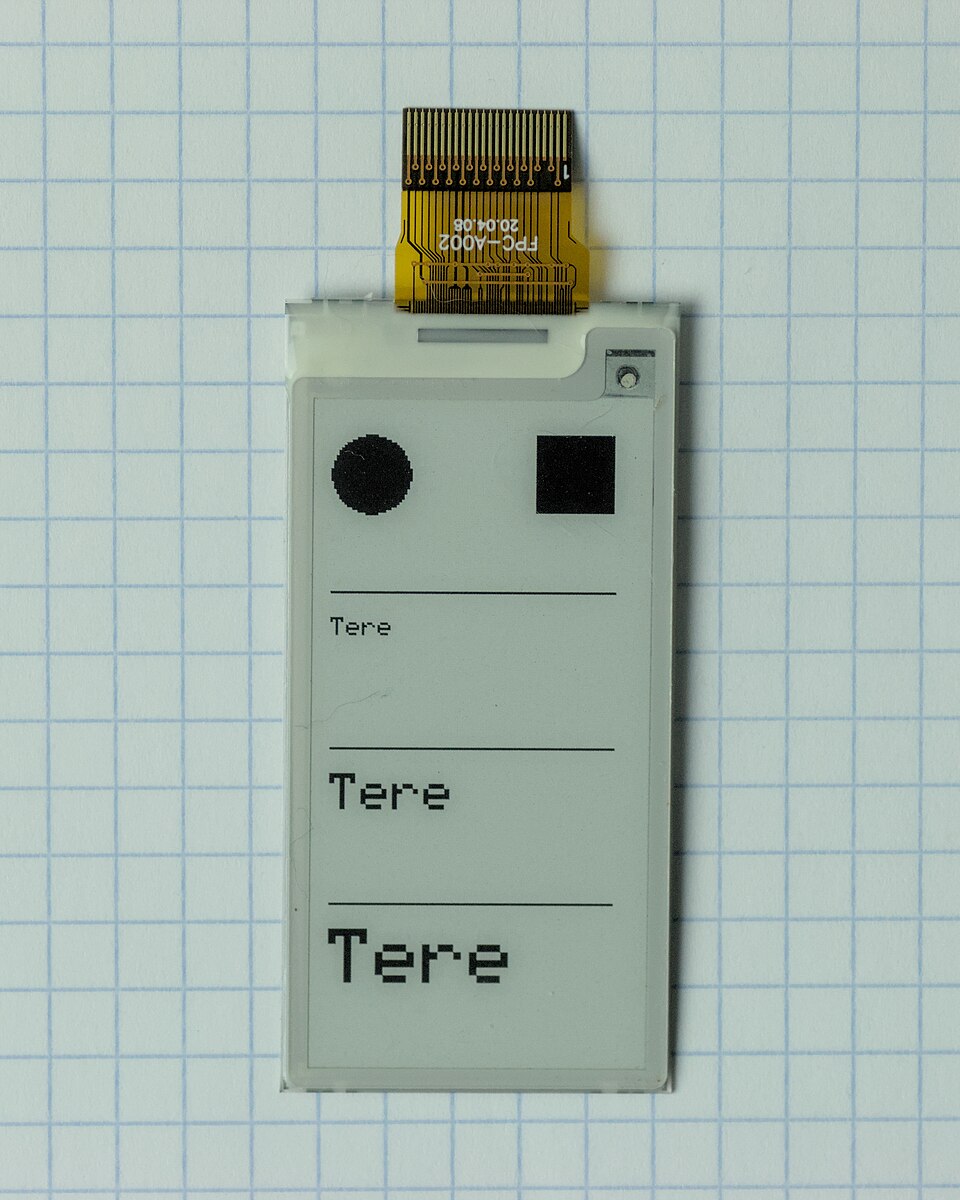
3 × 22 mm IP67 metal pushbuttons (GAME A, CHALLENGE, GAME B) · RallyPad: 60 mm lit dome button and 40 mm speaker per team (pickleball) · Cricket OverCheck: 4x4 membrane keypad and 2.13-inch e-paper (TallyPad); 2 buttons, 6 ball LEDs and a buzz motor (OverClick) · Junior RetireCall: 4.2-inch e-paper order board with fence hooks · Tennis LetTap: LIS3DH accelerometer on the net band and an I2S microphone for the racket strike
Connectivity
Wi-Fi via the club access point or the head's own hotspot · MQTT events and short H.264 clips · Phone web page by QR code · ESP-NOW between the OverClick, the TallyPad and the RetireCall order board (about 80 m to the scorer, est.)
Power
20,000 mAh USB-C PD bank in the head (about 5 Camera matches per charge, or months of scoreboard-only use, est.); 10,000 mAh bank per BaseClip; 2 AA per TallyPad (about 255 h, est.) and a 250 mAh USB-C LiPo per OverClick (about 100 h, est.); 2 AA per RetireCall order board (about 212 h, est.)
Enclosure
Black ASA head with a 2 mm UV polycarbonate window and V saddle for the net post; camera pods in deep lens hoods; white ASA BaseClip on a fence clamp
Dimensions
Head about 250 × 320 × 66 mm; BaseClip about 130 × 56 × 50 mm; RallyPad about 80 × 150 × 92 mm; TallyPad about 110 × 160 × 24 mm; OverClick about 48 × 87 × 26 mm; order board about 136 × 150 × 34 mm
All target specifications
Scoreboard
Scoreboard target specifications
Display
7.5 inch e-paper, 800 × 480
Digits
60 mm, sun-readable
Power
About 5 mW average in scoreboard mode (est.)
Buttons
GAME A, CHALLENGE, GAME B; long press to undo
Line calls (target, computed)
Line calls (target, computed) target specifications
Baseline (BaseClip)
2–8 mm per pixel, about ±3–5 mm (est.)
Near sideline (post)
5–9 mm per pixel, about ±5–10 mm (est.)
Too-close threshold
Under 10 mm shows 'TOO CLOSE TO SHOW'
Challenge to drawing
Within 8 s (to be tested)
Fit and power
Fit and power target specifications
Net posts
3 and 3.5 inch round (square posts in rev B)
Camera matches per charge
About 5 of 1.5 h (est.)
Clip storage
4 s clips, deleted from the head after 24 h
Pickleball RallyCall
Pickleball RallyCall target specifications
Scoring
Side-out doubles from 0-0-2, to 11 win by 2; rally-scoring setting
Dispute
Both pads within 3 s = CHECK; hold both 2 s = undo
Scorer's legal balls vs the umpire's OverClick, every over
League settings
Wide and no-ball penalty 1 or 2 runs; 6 or 8 balls per over
Cross-check
Batting + extras = bowling + byes + leg byes = total, every ball
Battery
About 255 h per 2 AA (pad), 100 h per charge (counter), est.
Junior RetireCall
Junior RetireCall target specifications
Limit
Runs or balls faced, any number the league sets
When
Straight away, or at the end of the over
Return
In the order they retired: after everyone has batted, or from a set wicket
Pairs
Pairs formats with runs off per wicket (Kwik Cricket: 5)
Board
4.2 inch e-paper, about 212 h per 2 AA (est.)
Targets for production units; they may change during development.
Pricing
Hardware: $99–$1,990per OverCheck set, RallyPair, head or Court Kit
Software: Basic alerts included · optional plans up to $5 per court per month (optional clip cloud)
Target prices: $249 scoreboard-only head, $649 head with camera pods, $1,990 Court Kit (2 heads and 2 BaseClips). $129 RallyPair (2 pickleball pads). Parts cost at quantity 1 is about $411 per head and $153 per BaseClip, and about $94 per RallyPair (est.). $99 OverCheck for cricket (TallyPad + OverClick), $39 per extra OverClick; parts about $72 per set at quantity 1 (est.). $79 RetireCall order board for junior cricket; parts about $54 at quantity 1 (est.). $79 LetTap per court for service lets; parts about $41 at quantity 1 (est.). FootCheck is a free firmware feature on Court Kits.
Scoreboard
$249 (target)
The e-paper net-post scoreboard without cameras.
7.5 inch e-paper score
GAME A / GAME B buttons
Months per charge (est.)
Live score page
RallyPair
$129 (target)
Two pickleball score pads, one per team, for the same net post; works alone or with a head.
One press per rally
Side-out and server 1/2 logic
Score called aloud
CHECK and undo
OverCheck
$99 (target)
A scorer's TallyPad and an umpire's OverClick for club cricket; works alone or with a head as the boundary board.
Ball-by-ball scoring keys
Umpire's ball count checked every over
Interval check for Law 3.2
CSV and printable sheet
ScorePost Camera
$649 (target)
Scoreboard head with two camera pods for sideline and centre-line calls.
Everything in Scoreboard
CHALLENGE button
Near sideline and centre service line
Phone clips
Court Kit
$1,990 (target)
Two heads and two BaseClips for a full court.
Both net posts
Baseline calls from the side fence
Optional clip cloud ($5/court/month, est.)
Club battery dashboard
Indicative launch pricing in USD, excluding taxes and shipping. Final pricing is confirmed before any balance is charged.
Community
What do you think of ScorePost?
ScorePost is in development. Rate the idea, tell us what to change about the features, specs or price, and we'll build it with your feedback.
Parks, HOAs and clubs with courts near homes face several jobs on every court: neighbours complain about paddle noise and cities measure by hand at the fence (Cupertino limited hours in May 2026; Denver measured over 70 dB against a 55 dB limit; a Berwyn YMCA closed courts in a lawsuit), quiet-gear hours are posted on signs nobody checks, booked courts at $10–20 an hour sit empty (Tualatin Hills, Kino, Boulder), and rec play has no referee for score and line arguments. Our own two products for it cost $2,074 and $44 a month per court.
Combined into CourtPost (https://iemilabs.com/products/courtpost/); ScorePost itself is unchanged
Club and league tennis has no umpire, so players must call lets and foot faults themselves. Under the USTA Code any player may call a service let but only before the return is out of play, and a net touch is often silent; the receiver may call a foot fault only after a warning, with no official to find, and only if it is flagrant, while Tennis Australia says the receiver may not call foot faults at all.
New CAD part let-tap: a pod on the net band with a movement sensor, a microphone, a buzzer and an amber LET lamp (10 of 10 bought parts fit)
New CAD part let-tap-lid: a hook over the net band with a thumb screw that grips it (7 of 7 fit)
New let logic: beeps only when a serve touches the net, never in a rally; new foot check on the baseline cameras, shown only to the server or the league referee
Product page updated with the let beep, foot check, three new examples and three new FAQs
Parts list: LetTap about $41 per court (est.), target price $79; foot check free on Court Kits
Junior cricket makes batters retire at a set score so everyone gets a bat, then brings them back in a set order, and one volunteer scorer has to spot it every ball. The ECB junior format recommendations retire U10/U11 batters at 25, Northern Cricket Union youth leagues at 30, 40 or 50, South Australian schools at 20 "as soon as" it is reached, and the ACS (Victoria) lets retired batters back only from the 9th wicket.
New CAD part order-board: a case for a 4.2-inch e-paper batting-order board with a rain brow (8/8 fit checks, one solid)
New CAD part order-board-lid: a back with two hooks for a fence wire or hut rail (6/6 fit checks, one solid)
New RetireCall software: any run or ball limit, straight away or at the end of the over, return order after everyone or from a set wicket, coach retirements and pairs cricket (11/11 checks)
BOM: order board about $54 in parts (est.), target $79 add-on
Product page, design page and DESIGN.md updated with two junior use cases, two FAQs, a spec group, sources and a rules note
Club cricket needs a second, independent score record. The Laws (MCC Law 3) ask for two scorers whose books agree, but most recreational games run on one volunteer from the batting side, disputed books cannot tell whether the batting or bowling figures are wrong (Cricket NSW umpires' guidance), and umpires' miscounted 5- and 7-ball overs never reach the sheet (ACS).
New CAD parts: TallyPad case and desk-wedge back for the scorer (membrane keypad, small e-paper screen), OverClick case and belt-clip back for the umpire (BALL and UNDO buttons, 6 ball lights, buzz on balls 5 and 6)
New cricket scoring engine: wides, no balls, byes, leg byes, league penalty and balls-per-over settings, and an over-by-over check against the umpire count
Parts list +$72 per OverCheck set at quantity 1 (est.); target price $99
Design notes: a dated OverCheck section with 10 sources and a Laws compliance note (Laws 3 and 17.5)
Product page updated: summary, highlights, two cricket use cases, an OverCheck tier and spec group, and three new FAQs
Recreational pickleball doubles has no referee: the server has to call a 3-number score ("4-2-1") before every serve, and forgetting the server number or the score is the most common on-court mistake and argument (pickleball.com and The Dink score guides). The 2026 USA Pickleball rules also want calls made promptly so play can go on with the right score and server.
New CAD parts: RallyPad case with a 60 mm lit button and speaker grille, and a back with a V saddle for round posts 32–76 mm; 16 of 16 fit checks pass
Hardware: XIAO ESP32-C3, small amplifier and speaker, 2 AA lithium cells; about $47 per pad and $94 per pair at qty 1 (est.)
Software: pickleball scoring logic (side-outs, server 1 and 2, who serves from which side, game to 11 win by 2, rally-scoring setting), CHECK when both teams press, undo, and the score spoken aloud
Design doc: dated section with 7 sources and an in-house test of the scoring logic, loudness and battery
Product page: new tagline, summary, pickleball highlights, 2 use cases, a pickleball spec group, a $129 RallyPair tier and 3 new FAQs
In/Out's original net-post-only device judged baselines poorly (20–30 mm error in a 2021 test), and its v4 added line devices → the CAD geometry report shows why: from 1.2 m on the post, lines across the view resolve 53–117 mm per pixel, so ScorePost only gives verdicts on lines that run along a camera's view and adds a BaseClip on the side fence for each baseline (2–8 mm per pixel)
New design: 5 printed parts in code CAD, bought parts fit-checked
Market research, hardware list and use case written up
No. ScorePost is a concept in the in-house design and testing stage. It is designed and fit-checked in CAD, but nothing has been built, printed or measured, and all accuracy figures are estimates.
How does ScorePost help with lets and foot faults?
LetCall hangs a LetTap on the net band between the post and the singles stick. It hears the serve and feels the cord, and beeps only when a serve touches the net, so the players can call the let in time. FootCheck uses the BaseClip cameras that already look along each baseline to check the server's feet against the line up to the moment the ball is struck.
Does ScorePost call foot faults?
No. Under the USTA Code the receiver may call only flagrant foot faults, after a warning and after trying to find an official; Tennis Australia does not let the receiver call them at all. FootCheck is evidence: in self-check mode only the server sees it, and in league mode it goes to the referee or court supervisor, who decides. It is off by default.
Has the let and foot check been tested?
Only in-house in software and CAD. The logic was replayed over known points and 300 random points (no missed or false let beeps in the logic), and the parts were fit-checked in CAD. Nothing has been tried on a real net yet, and the cord threshold and foot-line accuracy are estimates.
How does RetireCall help junior cricket?
The club sets the league's rule once: the retirement score or ball limit, whether it applies straight away or at the end of the over, and when retired batters may come back. The TallyPad then checks every batter after every ball. When one reaches the limit, the umpire's OverClick buzzes and the order board shows who retires, who is next in and the order the retired batters come back.
Does RetireCall decide who retires?
No. Retirement is set by each competition's playing conditions, and the umpires and captains apply them. RetireCall is a reminder: the scorer can change any line, and nothing is sent off the ground. It has been tested in software only (11 checks, including 50 random innings); the board is drawn and fit-checked in CAD but not built.
How does OverCheck help club cricket scorers?
The scorer keys each ball on the TallyPad and the umpire presses BALL on the OverClick. Both records go into one ball log, so the batting and bowling sides of the sheet always add up to the total, and any over where the book and the umpire's count differ shows CHECK while the over is still fresh.
Is OverCheck allowed under the Laws of Cricket?
It is a tool for the scorers, not a scorer or an official record: Law 3 still needs scorers, and the scorer still acknowledges every signal by hand. Under Law 17.5 the over as counted by the umpire stands, so a CHECK never asks the umpire to change anything. Leagues that restrict umpires' electronic devices would need to allow the OverClick in their playing conditions.
Has the cricket scoring been tested?
In software only: wides, no balls, byes and leg byes, undo, a random 20-over innings where batting, bowling and total agreed on every ball, and a seven-ball over and a missed dot that were both flagged. The TallyPad and OverClick are drawn and fit-checked in CAD but not built; radio range and battery life are estimates.
How does ScorePost help with pickleball?
Two RallyPads clamp to the net post, one for each team. The team that wins the rally taps its pad once. The pads work out side-outs and server 1 or 2, the serving pad calls the 3-number score aloud before the serve, and a head (if fitted) shows who serves from which side.
What if the teams disagree about who won the rally?
If both pads are pressed within 3 seconds the score does not change and CHECK is shown, so the players can replay or agree the point. Holding both buttons for 2 seconds undoes the last rally. It is a score aid for recreational play, not a referee.
Has the pickleball scoring been tested?
The scoring logic has been tested in-house in software: a worked game sequence, 200 random rallies checked against the even-score rule, a dispute and an undo. The pads are drawn and fit-checked in CAD but not built, and loudness and battery life are estimates.
Is it an official line-calling system?
No. It is evidence the players agree on and never overrides a player's call. It is not ITF classified and does not claim to meet USTA electronic line-calling requirements, so sanctioned leagues may not allow it.
Why is there a camera on the fence?
From 1.2 m on the net post a camera judges baselines poorly, at 53–117 mm per pixel. A BaseClip on the side fence looks along the baseline at 2–8 mm per pixel, which is the view a line judge uses.
Does it record players all the time?
No. Cameras keep a 20-second ring in memory that is overwritten. Nothing is saved unless CHALLENGE is pressed, clips are 4 seconds and cropped to the ball path, and they are deleted from the head after 24 hours.
How is it powered on outdoor courts?
From a USB-C power bank in the head. Scoreboard-only use lasts months; in Camera mode it manages about 5 matches per charge (est.), so a busy court needs a weekly charge.
IEMI's one football product: a pair of legal full-size goals with cameras, computers, batteries and radios inside the posts and crossbar, and a referee wrist unit.
Sees the ball cross the line and buzzes the referee
Logs shots, saves and headers at goal
Counts the keeper’s 8 seconds and keeps the match clock and sin bins
From$4,690per pair of smart goals with sockets and the referee wrist unit